
















Tidy your Mac in one click.

Declutr sorts your Desktop, Downloads or any folder into Documents, Images, Videos, Archives and more. Every cleanup can be undone.

Download free on the Mac App StoreSend it to my Mac

5.0 on the Mac App Store · No subscription

Declutr is a Mac app. Send yourself the link and open it on your Mac.

macOS 13 or later · Apple silicon and Intel

Try it on this folder.

Click through Declutr on the right. Same steps as the app: pick a folder, choose what to sort, start.

Do this on your MacSend it to my Mac
Downloads
  • Invoice_2026-09.pdf
  • IMG_7851.HEIC
  • design-files.zip
  • clip-export.mov
  • Resume_final_v4.docx
  • config.json
  • podcast-ep42.mp3
  • hero-banner@2x.jpg
  • Raycast.dmg
  • phone-stand.stl
  • tutorial-part1.mp4
  • calendar.ics
  • logo-final-FINAL.png
  • index.html
  • site-export.tar.gz
  • desk-lamp.usdz

16 items

Choose Location

Pick the folder you'd like to organize

“As someone with ADHD, I've always struggled to keep my Mac organized. My desktop was a chaotic sea of docs. Then I found this gem of an app… Total game-changer.”

It keeps working after the first click.

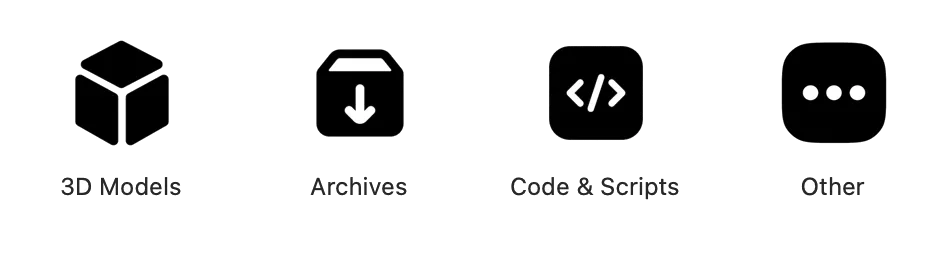
Declutr's category folders in Finder: 3D Models, Archives, Code & Scripts, Other, Audio, Documents, Images, Videos, each with its own icon.

Every file type gets its folder.

Documents, Images, Videos, Audio, Archives, Code & Scripts, 3D Models. Each folder gets its own icon, so you find it in Finder without reading the name.


Every file type gets its folder.

Documents, Images, Videos, Audio, Archives, Code & Scripts, 3D Models. Each folder gets its own icon, so you find it in Finder without reading the name.
Declutr's result: 57 items, Undo available, and the Undo Changes button.

Changed your mind? Undo.

The last screen has an Undo button that puts every file back where it was. Before a folder that looks sensitive, Declutr stops and asks first.

Changed your mind? Undo.

The last screen has an Undo button that puts every file back where it was. Before a folder that looks sensitive, Declutr stops and asks first.

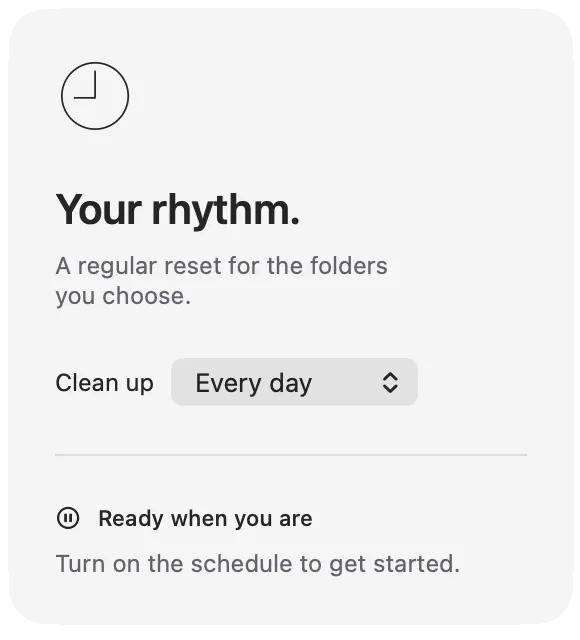
Declutr's schedule settings: clean up every day.

Downloads that tidy themselves.

Watch a folder and new files are sorted the moment they land. Or set a schedule and Declutr cleans up every day while you work.

Downloads that tidy themselves.

Watch a folder and new files are sorted the moment they land. Or set a schedule and Declutr cleans up every day while you work.

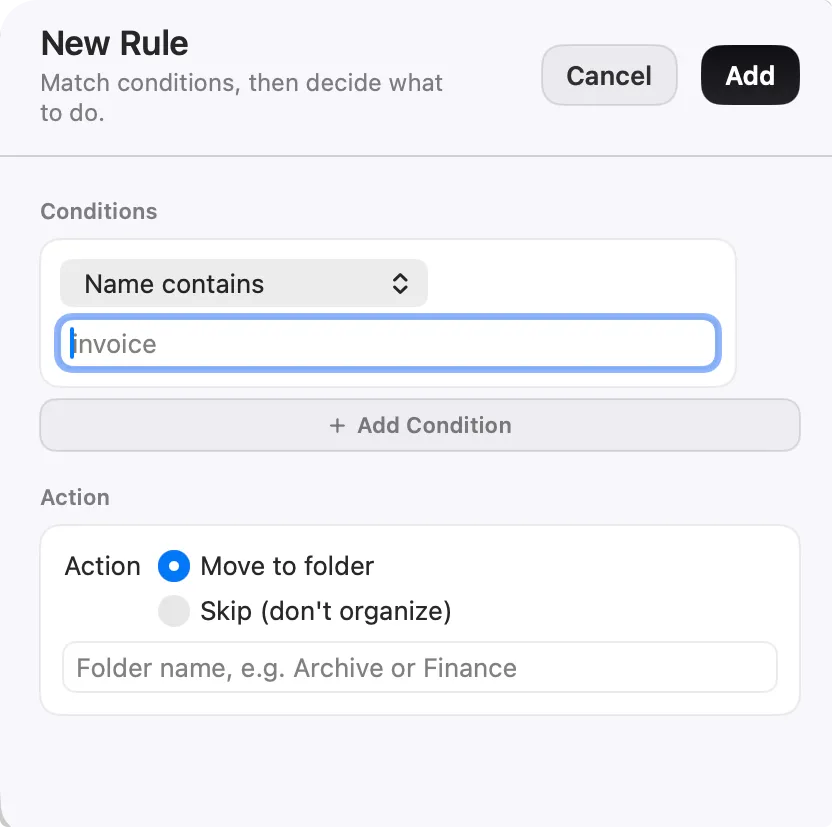
Declutr's New Rule sheet: a Name contains condition, then Move to folder or Skip.

Rules for the files that don't fit.

Match files by name, extension, age or size, with AND/OR. Send them to a folder you name, or tell Declutr to leave them alone. Rules run before categories.

Rules for the files that don't fit.

Match files by name, extension, age or size, with AND/OR. Send them to a folder you name, or tell Declutr to leave them alone. Rules run before categories.

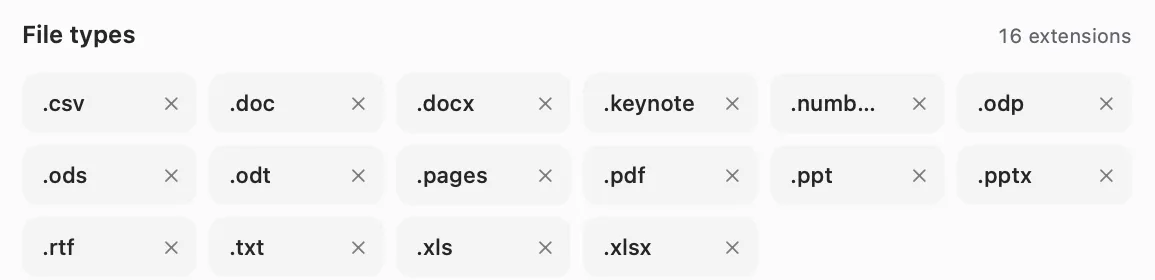
Declutr's File types settings: the extensions of the Documents category, each removable.

Your file types, your folders.

Ten categories out of the box. Add an extension, move one to another category, or create your own category with its own icon.

Your file types, your folders.

Ten categories out of the box. Add an extension, move one to another category, or create your own category with its own icon.

Rules, not AI.Your files never leave your Mac.

Declutr sorts by file type and by the rules you set: name, extension, age, size. It never opens a file, never uploads one, and there is no account.

DeclutrHazelAI organizersBuilt into macOS
How it decidesFile type and your rulesRules you writeAn AI model guessesWorkflows you build
Files stay on your Mac Yes YesOften not Yes
First cleanupOne clickWrite rules firstDescribe what you wantAutomator or Shortcuts
PriceFree · Pro $8.99 once$42 onceOften a subscriptionFree

Declutr

How it decides
File type and your rules
Files stay on your Mac
Yes
First cleanup
One click
Price
Free · Pro $8.99 once

Hazel

How it decides
Rules you write
Files stay on your Mac
Yes
First cleanup
Write rules first
Price
$42 once

AI organizers

How it decides
An AI model guesses
Files stay on your Mac
Often not
First cleanup
Describe what you want
Price
Often a subscription

Built into macOS

How it decides
Workflows you build
Files stay on your Mac
Yes
First cleanup
Automator or Shortcuts
Price
Free

5.0on the Mac App Store.

Reviews from people who ran it on their own mess.

  • Great little app

    Have had a very messy desktop and documents folder for years. This app sorted them in seconds.

    OU812 x · Oct 12, 2025

  • The best organization app I've ever used.

    simple, elegant, does what it says on the tin. A joy to use. I randomly found it on Reddit back when it was on Gumroad and the creator even reached out to anyone who previously bought it for codes to dl. Classy behavior, super stoked to see it on the Mac App store. Well done!

    nostopplzwiththe · Sep 12, 2025

  • I just tried out the app! It does exactly what it says. Its so useful for a messy person who wants to clean the messy download/any custom folder! Highly recommend it, cant wait for more updates!

    Shail Antani

  • Does exactly what it says it does without any bs. Want a tidy folder/desktop/download folder, one click and boom! Beautiful keep it up!

  • Love this! It's super easy to use, really fast, and just works. I love that it sorts everything into clear categories and looks great too.

    alaway7kasawi

  • Totally worth it

    I really love how this app cleans up all my messy files. It's a huge time saver since I no longer have to sort everything myself.

    Alawayy · Sep 11, 2025

  • Functional and classy! Love it ❤️

    melkasa

  • Does what it says on the tin!

    What a difference my downloads folder looks like now. I can more easily find pics, music, dmg files and the rest with this app.

    LaPanIAm · Sep 13, 2025

  • Makes File Organization a Breeze

    Declutr is incredibly easy to use! It effortlessly organizes my messy files into colorful, intuitive folders, making everything feel neat and accessible.

    r0gueasian · Oct 5, 2025

  • It's great, in a second it has re-organized my download folder in a super neat way.

  • Works great and effortless. Awesome app.

Pay once.
Keep your Mac tidy forever.

One purchase through the App Store. No subscription, no account.

Free

$0

  • Organize your Desktop, Downloads or any folder
  • Files sorted by type into category folders
  • Undo any cleanup in one click

Pro

$8.99 once

Everything in Free, plus:

  • Scheduled cleanups
  • Smart Rules that run on their own
  • Watch folders
  • Your own categories and extensions
Download free on the Mac App StoreSend it to my Mac

US price. The App Store shows yours in your currency.

Questions.

Does Declutr delete any files?

No. It moves files into folders inside the folder you picked. The Undo button on the last screen puts every file back where it was.

Is it a subscription?

No. Declutr is free to download. Pro is a single in-app purchase, $8.99 in the US, and it stays unlocked.

Which Macs does it run on?

Any Mac on macOS 13 Ventura or later, with Apple silicon or Intel.

Do my files leave my Mac?

No. Declutr sorts files on your Mac. Nothing is uploaded and there is no account to create.

Can I choose where a file goes?

Yes. Smart Rules match a file by name, extension, age or size and send it to the folder you name, or skip it. Rules run before the default categories.

Can it keep my Downloads folder clean on its own?

Yes, with Pro. Watch a folder and new files are sorted as soon as they arrive, or schedule a cleanup that runs every day.

Guides: How to organize files on a Mac · The best file organizer apps for Mac, compared · Free tool: what's in your Downloads folder?

Your messy folder is one click from tidy.

Download free on the Mac App StoreSend it to my Mac

Free · Pro $8.99 once · Undo any cleanup

Declutr runs on your Mac.

Send yourself the link, then open it on your Mac. The App Store page is one click away. Free to download.

Email me the link